How to put digital wall art in a room mockup
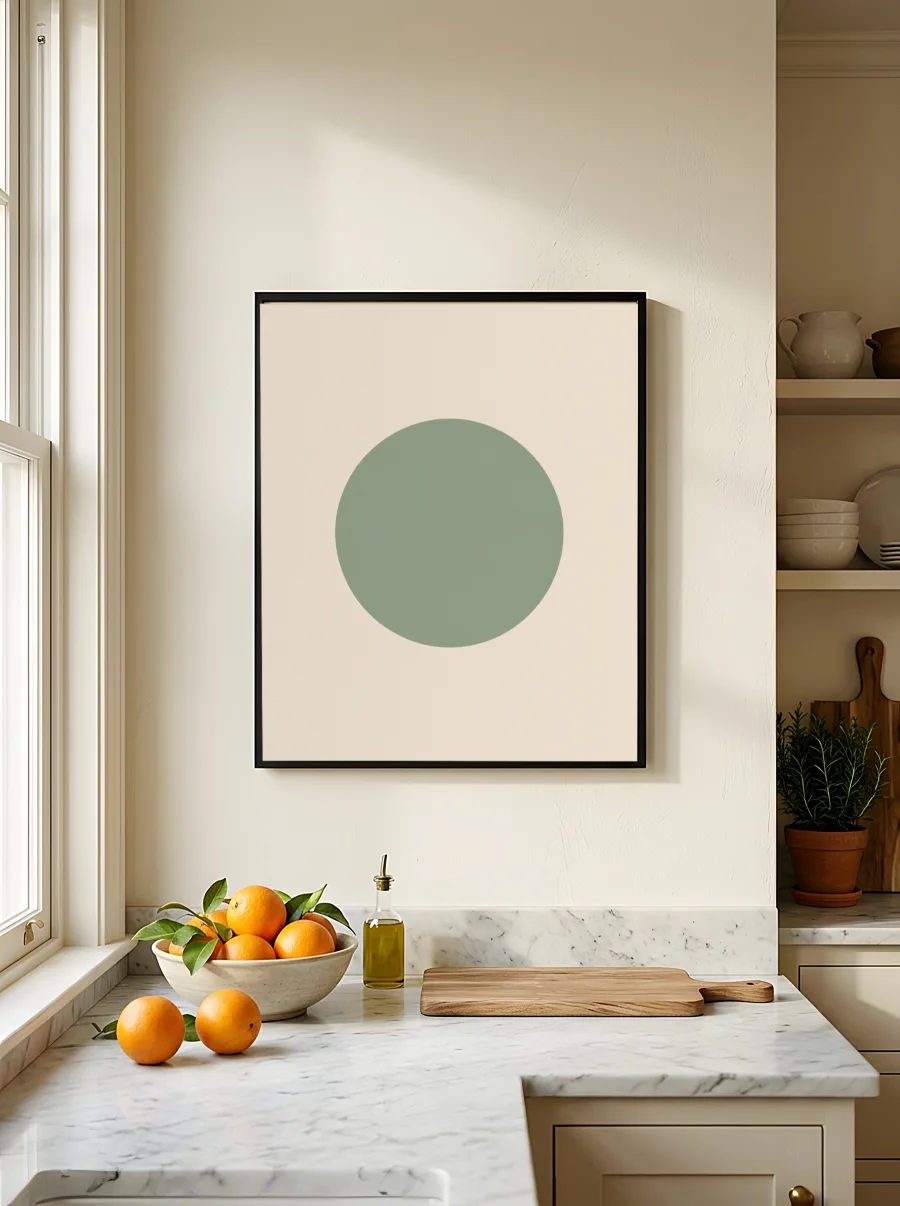
To show a digital wall print in a room, place the flat artwork in a room scene, match the wall's perspective, add a frame and a soft shadow, then export the crops each platform needs. Doing this by hand in Photoshop takes minutes per image. Roomshot does it in seconds from one flat file.
Updated · 6 min read
Why does digital wall art need a room mockup?
A buyer of a digital download cannot hold the print or lean it against a wall. The listing photos are the only way they judge size, colour and style. A flat file on a white background shows the artwork; a mockup shows what it does to a room. That is why most wall-art listings lead with a framed room scene and keep the flat file for later in the gallery.
A mockup also does a second job. It gives a sense of scale, which a flat file cannot, and it lets one print look right next to a sofa, a bed or a desk. The rest of this guide covers three ways to make one, the steps by hand, and the image sizes Etsy and Pinterest publish.
Which method should you use?
| Method | Skill | Speed | Best for |
|---|---|---|---|
| Photoshop smart object | Photoshop | Minutes per image | One hero shot with full control |
| Mockup template packs | Photoshop or Canva | Fast once set up | A few fixed rooms; many sellers use the same ones |
| Roomshot | None | Seconds per image | A full listing gallery from one file |
For a single hero image, Photoshop gives the most control. For a shop with many listings, the repeated export step is what costs time. Our comparison of room mockup methods covers templates, generative prompts and placement on a pre-made scene, and best mockup tools for Etsy wall art lists sourced prices.
How do you mock up wall art by hand in seven steps?
- 1Start from the flat file.Use the full-resolution JPG, PNG or WebP. No frame, no border, no room.
- 2Pick a room scene with a clear wall.A straight-on or mild angle is easiest. Avoid busy walls behind the frame.
- 3Place the art as a smart object.Drag the four corners until the edges follow the frame opening.
- 4Add a frame, and a mat if the art needs one.Match the frame width and colour to the room.
- 5Add a soft shadow under the frame.Match its direction to the light in the scene.
- 6Check the scale.Compare the art to the sofa or the table. A print that looks too big or too small loses buyers' trust.
- 7Export each crop you need.One export per platform and ratio. This step repeats for every listing.
What makes a mockup look believable?
- Perspective. The print edges must run parallel to the frame, not to the image edges.
- Shadow and light. A print with no shadow looks pasted on.
- Scale. The room must give the buyer a size cue.
- Frame and mat. The frame style must suit the art. Oak, black, walnut and white cover most walls.
- Colour match. The print needs the same white balance and contrast as the room.
Frame and mat choices are covered in frame mockups for printables.
Which mistakes make a mockup look fake?
- Shipping a stretched print. If the art is not the same shape as the frame opening, something has to give. Either the print is cropped to fit or white padding shows. Check the opening shape before you pick a room.
- Leaving white margins baked into the file. A white border in your flat file looks like a mat that is too wide once the frame is added. Trim it first or use a tool that trims it for you.
- Using the same room for every listing. A gallery of identical rooms makes a shop look like a template. Rotate rooms and frame styles across listings.
- Never zooming in. Check the print edge and any lettering at 400 percent before you publish. See how to run that check in our post on whether mockups change your artwork. Read the check
How does Roomshot place the same print?
Roomshot detects the frame opening in a pre-made photorealistic room scene, fits your print inside it, and grades it to match the light. The print is placed, never redrawn: it is scaled and tilted to the opening, may be cropped to its shape, and has baked white margins trimmed by default. You upload one flat file and choose a room. See the Etsy wall art mockup generator page for the full workflow.

What image sizes do Etsy and Pinterest want?
| Where | What the platform says | Source |
|---|---|---|
| Etsy listing photos | At least 2000 px wide and 2000 px high. The first photo at least 635 px on each side, or the listing can rank lower in search. | Etsy Help |
| Etsy thumbnail | Horizontal or square first photo, with enough border to crop to square, portrait and landscape without cutting off the product. | Etsy Help |
| Pinterest pins | 2:3 ratio, 1000 x 1500 px recommended. Pins taller than 2:3 might get cut off in feeds. | Pinterest specs |
Checked 24 October 2026. Platforms change their specs, so confirm on the linked pages before you rely on a number.
Etsy's image page gives minimum sizes and thumbnail advice, not a list of ratios. That leaves the shape of the rest of your gallery up to you. These are the crops Roomshot exports, and where each is useful:
| Ratio | Shape | Use it for |
|---|---|---|
| 1×1 | Square | Etsy first photo and thumbnail, Instagram grid |
| 4×5 | Portrait | Etsy gallery photo, Instagram feed |
| 9×16 | Tall | Instagram Stories and Reels. Not an Etsy listing size |
Each Roomshot download is one zip with the room mockup, all four crops, a close-up detail crop and a caption. The pixel size of each file follows the room image, so check it against Etsy's 2000 px advice. More detail is on Etsy listing photo sizes.
Questions
Can I show digital wall art downloads in a room?
Yes. Upload the flat file you sell as a digital download. Roomshot places it in a framed room scene, so buyers see how it looks on a wall before they buy.
Do I need Photoshop or design skills?
No. Upload one flat file and pick a room. Roomshot does the fitting, framing and cropping for you.
Will the rooms look the same as other sellers' mockups?
Template packs are shared by many sellers. Roomshot offers a library of pre-made photorealistic room scenes with four frame finishes, with or without a mat, so your gallery varies from listing to listing.
Which files can I upload?
Flat JPG, PNG or WebP files up to 20 MB.
How much does it cost?
New users get 3 free downloads, and previews are always free. After that you buy credits: $9 for 40 downloads, $24 for 150 downloads, $59 for 500 downloads. There is no subscription and credits never expire.
What if a render fails?
A failed render costs nothing. Credits pay for downloads, not renders.